
Why AI Has Become a Student’s New Study Partner
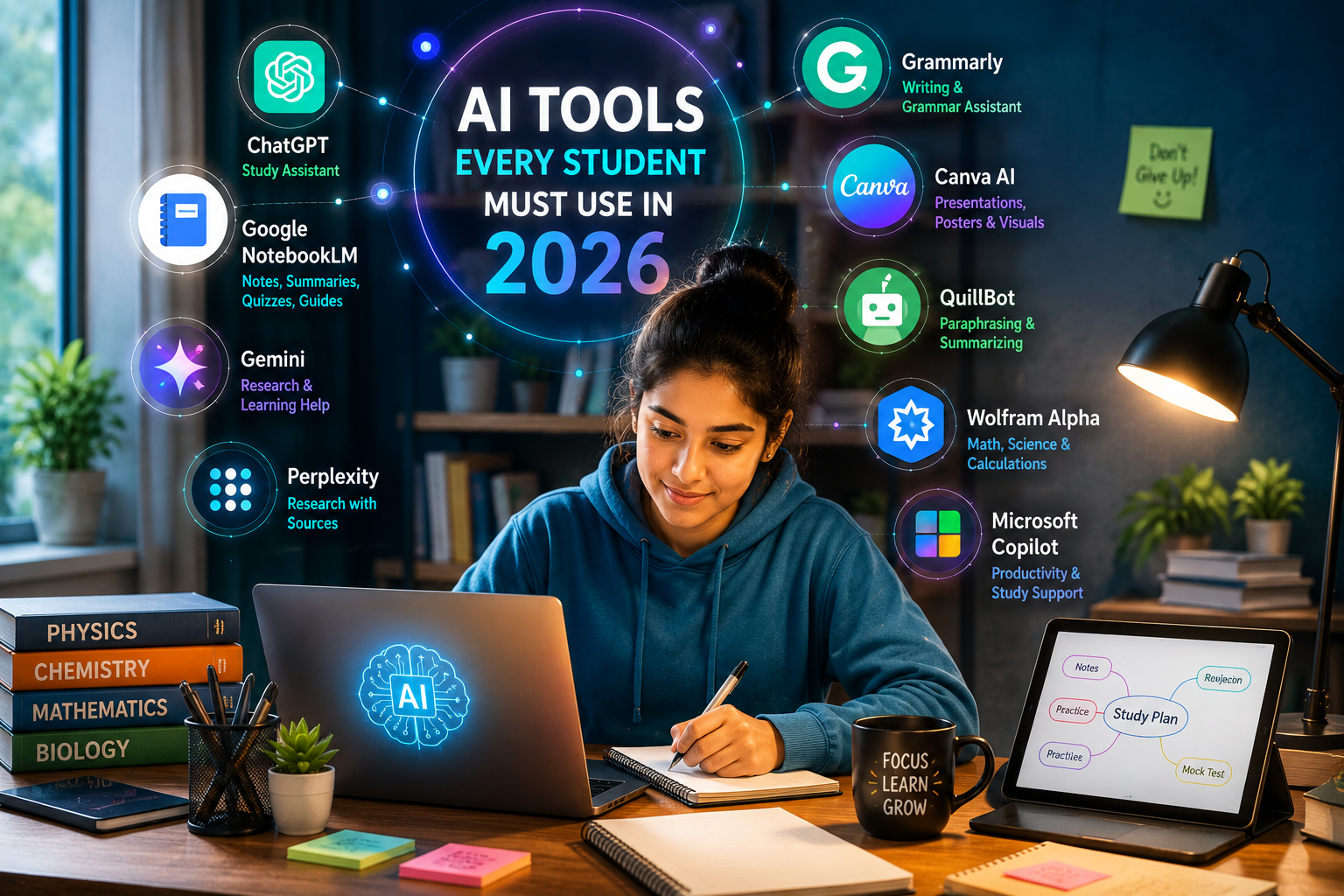
Students in 2026 are studying in a completely different world compared to students even five years ago. Earlier, students depended mainly on textbooks, classroom notes, coaching centres, YouTube lectures, and search engines. Today, artificial intelligence has added a new layer to learning. A student can now summarize long chapters, create revision notes, generate quizzes, improve writing, prepare presentations, understand difficult concepts, and plan study schedules with the help of AI tools.
But there is one important point: AI should not replace your own thinking. It should support your learning. The smartest students are not those who blindly copy AI answers. The smartest students are those who use AI like a personal tutor, study assistant, writing coach, research helper, and productivity partner.
Tools such as Google NotebookLM can summarize notes, create study guides, generate quizzes, and help students learn from their own uploaded materials. Google describes NotebookLM as an AI tool for students that can summarize lecture notes, create study guides, and help users learn topics faster. Canva’s AI features can help students create presentations and visual learning material, while Grammarly offers real-time writing feedback and AI support for academic writing.
In this blog, we will explore the most useful AI tools every student should know in 2026 and, more importantly, how to use them correctly.
1. ChatGPT: Your All-Purpose Study Assistant
ChatGPT can be one of the most useful AI tools for students when used properly. It can explain difficult topics in simple language, create study plans, generate practice questions, help with coding doubts, improve writing, and even act like a mock interviewer.
For example, instead of asking, “Write my assignment,” a better prompt would be:
“Explain photosynthesis in simple language for a Class 10 student, then give me 10 practice questions with answers.”
This way, the student learns the topic instead of only copying the output.
ChatGPT is especially helpful for:
Understanding difficult chapters
Creating short notes from long topics
Preparing exam questions
Learning English writing
Practising interviews
Understanding coding logic
Creating revision plans
Generating examples and analogies
Students should remember that AI-generated answers may sometimes contain mistakes. So, important facts, dates, formulas, and exam-related answers should always be cross-checked with textbooks, official material, or teacher guidance.
A good way to use ChatGPT is to treat it like a tutor who explains concepts, not like someone who does your homework.
Example student prompt:
“Act as my science teacher. Explain Newton’s laws of motion with simple examples, then test me with 5 MCQs.”
2. Google NotebookLM: Best Tool for Notes, PDFs, and Revision
Google NotebookLM is one of the most useful AI tools for serious students because it works with your own study material. Instead of giving general answers from the internet, it can help you understand the documents, PDFs, notes, and sources you upload.
Google says NotebookLM can analyze sources, turn complexity into clarity, and transform content. It is especially powerful for students because it can help create summaries, study guides, flashcards, quizzes, and learning support from uploaded material. Google’s own student-focused page says NotebookLM can summarize lecture notes and create study guides, while a Google blog update noted that NotebookLM added features such as flashcards, quizzes, tailored reports, and Learning Guide support for students.
This makes it very useful for:
Long PDF chapters
Lecture notes
Research papers
Project reports
Exam revision
MBA, engineering, school, and college study material
Creating quick summaries before exams
Suppose a student has a 40-page chapter PDF. Instead of reading it randomly, the student can upload it into NotebookLM and ask:
“Create a chapter summary in simple language.”
“Make 20 important exam questions from this PDF.”
“Create flashcards for revision.”
“Explain this chapter like I am a beginner.”
“Give me a 7-day revision plan from these notes.”
This is extremely helpful because many students waste time reading without direction. NotebookLM helps convert raw material into structured learning.
Best use case:
Use NotebookLM for your own notes and PDFs. Use ChatGPT for broader explanation and practice.

3. Gemini: Useful for Research, Explanation, and Google Ecosystem Users
Gemini can be useful for students who already use Google services. It can help explain topics, brainstorm ideas, summarize content, and support research-style learning. For students using Google Docs, Gmail, Drive, and other Google tools, Gemini can become part of a wider productivity workflow.
A student can use Gemini to:
Understand a topic quickly
Generate project ideas
Improve content structure
Create comparison tables
Get explanations in simple language
Prepare presentation outlines
Draft emails to teachers or colleges
For example:
“Explain the difference between artificial intelligence, machine learning, and data science in a table.”
This kind of prompt can help students understand confusing topics quickly.
However, like every AI tool, Gemini should also be used carefully. Students should not submit AI-generated content without checking accuracy, originality, and school or college rules.
4. Perplexity: Best for Source-Based Research
Perplexity is useful when students need research-style answers with source links. Unlike a normal chatbot response, Perplexity is often used for finding information with citations, references, and source-based summaries.
This can help students working on:
College assignments
Debate preparation
Research topics
Current affairs
Project reports
Case studies
Science and technology topics
MBA presentations
For example, a student can search:
“What are the latest applications of AI in healthcare? Give sources.”
This type of tool can save time during research. But students should still open and read the sources instead of only trusting the summary.
A good research habit is:
Use Perplexity to find sources
Open the original source
Take your own notes
Write in your own words
Mention references properly
This makes the final work more authentic and reduces the risk of plagiarism.
5. Grammarly: Best AI Tool for Better Writing
Writing is one of the biggest challenges for students. Many students know the answer but struggle to express it clearly. Grammarly can help improve grammar, spelling, punctuation, sentence clarity, tone, and academic writing quality.
Grammarly says its student writing support provides real-time writing feedback and AI assistance to help students improve their writing skills. It also mentions features that help students acknowledge AI use and submit assignments with integrity.
Students can use Grammarly for:
Essays
Assignments
Emails
Project reports
Scholarship applications
Resumes
Statements of purpose
Presentations
Research summaries
The biggest benefit of Grammarly is not just correction. It helps students see where their writing is weak. Over time, this can improve writing confidence.
For example, a student may write:
“AI help student to study fast.”
Grammarly may suggest:
“AI helps students study faster.”
This small improvement matters because clear writing creates a better academic impression.
Important tip:
Do not let Grammarly rewrite your entire assignment in a way that no longer sounds like you. Use it to improve clarity, not to remove your personal voice.
6. Canva AI: Best for Presentations, Posters, and Visual Projects
Students often need to create presentations, posters, charts, project covers, infographics, and classroom visuals. Canva AI can make this much easier.
Canva’s AI tools support design, writing, creative editing, and visual content creation. Canva also describes Canva AI as a conversational AI assistant that can help users visualize ideas, generate text, and produce designs in one place.
Students can use Canva AI for:
School project posters
College presentations
Infographics
Resume designs
Charts and diagrams
Social awareness campaigns
Seminar slides
Cover pages
Visual study notes
For example, if a student is making a presentation on renewable energy, Canva can help create a professional-looking slide deck quickly. The student can then add their own research, examples, and explanation.
For your Student Zone audience, this is a very practical tool because many students lose marks not because their content is weak, but because their presentation looks plain and unorganized.
Best student use:
Use Canva AI to make your work visually attractive, but keep the content accurate and original.
7. QuillBot: Useful for Rewriting and Simplifying Text
QuillBot is popular among students for paraphrasing, summarizing, and rewriting. It can help simplify complex sentences and improve flow.
Students can use it for:
Rewriting rough notes
Simplifying difficult paragraphs
Summarizing long content
Improving sentence structure
Checking alternative phrasing
But students must be careful. Paraphrasing tools should not be used to hide copied content. That is still academically risky. Instead, students should use QuillBot to improve their own writing.
A good method is:
Read the topic
Write your answer in your own words
Use QuillBot only to improve clarity
Read the final version again
Add your own examples
This keeps the work ethical and useful.
8. Khan Academy and Khanmigo: Useful for Concept-Based Learning
Khan Academy has already been trusted by students for years, especially for mathematics, science, economics, and basic learning concepts. Its AI-based learning support, Khanmigo, is designed to help students learn through guided tutoring rather than simply giving direct answers.
This is important because students often need step-by-step understanding. A direct answer may help once, but guided explanation builds long-term confidence.
Khan Academy-style learning is useful for:
Math practice
Science basics
Economics concepts
SAT-style preparation
Step-by-step learning
Concept revision
Students who are weak in basics should not jump directly into advanced AI tools. They should first strengthen fundamentals. AI is most powerful when a student already has some basic understanding and curiosity.
Google describes NotebookLM as an AI study tool that can help students summarize lecture notes, create study guides, and learn new topics faster.
9. Wolfram Alpha: Best for Math, Science, and Calculations
Wolfram Alpha is very useful for students who need help with mathematics, physics, chemistry calculations, graphs, equations, and data-based answers. It is not just a chatbot. It is a computational knowledge engine.
Students can use it for:
Solving equations
Plotting graphs
Checking calculations
Understanding formulas
Physics problems
Chemistry calculations
Statistics
For example, if a student is learning quadratic equations, Wolfram Alpha can help show steps, graphs, and solutions. This can make abstract math easier to understand.
However, students should not only copy the final answer. They should study the steps and understand the logic. In exams, marks are often given for method, not only the final result.
10. Microsoft Copilot: Useful for Productivity and Office Work
Microsoft Copilot can be helpful for students using Word, Excel, PowerPoint, Outlook, or Windows devices. It can support writing, summarizing, formatting, data analysis, slide creation, and productivity tasks.
Students can use it for:
Creating presentation outlines
Improving Word documents
Summarizing notes
Working with Excel tables
Drafting emails
Planning tasks
Preparing project documents
For college and MBA students, Copilot can be especially useful because many academic and professional tasks are done in Word, Excel, and PowerPoint.
For example:
“Create a PowerPoint outline for a seminar on electric vehicles.”
“Summarize this document into 10 key points.”
“Create a simple table comparing renewable and non-renewable energy.”
This makes students more productive and prepares them for workplace tools.
11. How Students Should Use AI Without Cheating
This is the most important part. AI can make students smarter, but only if used ethically. If a student copies full answers from AI and submits them as original work, learning becomes weak. It may also create academic problems.
Students should use AI for:
Understanding concepts
Creating revision plans
Practising questions
Improving writing
Checking grammar
Creating outlines
Finding research direction
Making presentations better
Students should avoid using AI for:
Copy-pasting assignments
Submitting fake original work
Generating answers without understanding
Creating false references
Replacing textbooks completely
Ignoring teacher instructions
The best rule is simple:
Use AI to learn faster, not to avoid learning.
This approach prepares students for the future because AI is already becoming part of education and jobs. On The Thrive Journey, we have already explained how artificial intelligence is becoming part of everyday life and future careers in our detailed guide.
This internal article can naturally support students who want to understand AI from the basics.
12. A Smart AI Study Routine for Students
Here is a simple daily AI-based study routine students can follow:
First, read the textbook or class notes for 20–30 minutes.
Second, use ChatGPT or Gemini to explain confusing points.
Third, upload notes into NotebookLM and create a short summary.
Fourth, make flashcards or quiz questions for revision.
Fifth, use Grammarly to improve written answers.
Sixth, use Canva only when a visual project or presentation is needed.
Seventh, revise again without AI to test real understanding.
This routine is powerful because it combines human effort with AI support. The student still studies, thinks, writes, and revises. AI only makes the process faster and more organized.
For students interested in the future of AI, To understand where AI may go in the future, you can also explore our detailed article on Artificial General Intelligence and the future of advanced machine intelligence.
AI Will Not Replace Students, But Smart Students Will Use AI
AI tools are not magic. They cannot replace discipline, curiosity, practice, memory, honesty, and hard work. But they can make studying easier, faster, and more interesting.
A student who uses AI properly can save time, understand difficult topics faster, improve writing, prepare better presentations, and revise more effectively. But a student who uses AI only for copying will become dependent and weak.
The future belongs to students who can combine human intelligence with AI tools. They should know how to ask better questions, check answers, think critically, and create original work.
In 2026, AI is no longer optional for students. It is becoming a basic digital skill. The earlier students learn to use AI responsibly, the better prepared they will be for exams, careers, and the future world of work.
Read More Interesting Content in My Blog Section.
FAQ
1. Which AI tool is best for students in 2026?
There is no single best AI tool for every student. ChatGPT is useful for explanations and practice questions, NotebookLM is excellent for notes and PDFs, Grammarly helps with writing, Canva helps with presentations, and Wolfram Alpha is useful for mathematics and science.
2. Can students use AI for homework?
Students can use AI to understand homework, create outlines, check grammar, and practise concepts. But they should not copy AI-generated answers directly and submit them as their own work.
3. Is Google NotebookLM useful for exam preparation?
Yes, NotebookLM can be very useful for exam preparation because it can summarize notes, create study guides, generate quizzes, and help students revise from their own uploaded material.
4. Can AI improve students’ writing skills?
Yes, tools like Grammarly can help students improve grammar, spelling, sentence clarity, and writing confidence. However, students should still learn the rules of good writing instead of depending fully on AI.
5. Are AI tools safe for students?
AI tools can be useful, but students should avoid uploading private personal data, confidential school documents, passwords, identity documents, or sensitive information. They should also follow their school or college AI-use policy.